The FeePlus Client App helps your center strengthen communication and simplify daily operations by connecting students and parents directly to your services. This article highlights the key benefits of the app and provides setup instructions so your staff can enable each feature in the admin console.
🔑 Key Benefits & Guides
- 📊 Subscriptions at a Glance
Parent can view expiry dates and payment history instantly.
👉 [Managing subscription records in the admin console] - 🔄 Easy Renewals
Parents renew anytime, anywhere through the app.
👉 [Enabling online renewals and payment gateway] - 🎉 Self‑Join Events
Students register directly for events.
👉 [Setting up event participation] - 📅 Smart Scheduling
Schedules (past, present, future) are always accessible.
👉 [Managing schedules and appointments] - 📢 Instant Updates
Announcements, rest days, and student notes delivered in one place.
👉 [Posting announcements and notes] - 💬 Direct Support
Built‑in chat connects families to your center quickly.
👉 [Activating and managing support chat] - 🎟️ Offers & Passes
Affiliate deals and available passes visible in real time.
👉 [Managing passes and offers] - 🖼️ Personalized Profiles
Parents can update student pictures themselves.
👉 [Profile management in the admin console]
📱 How Students and Parents Connect
1. Download the App
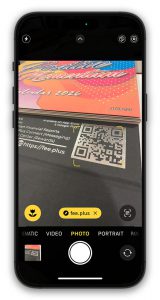
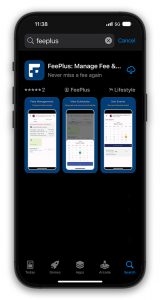
Scan the QR code on your reception calendar, or search ‘FeePlus’ in the App Store / Google Play.
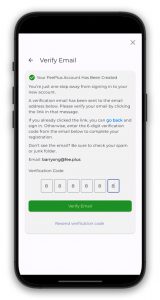
2. Create Account & Verify Email
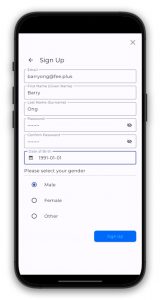
Register in the FeePlus Client App and confirm your email address by entering the 6‑digit verification code sent to your inbox.
3. Share Email with Your Center
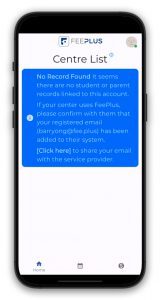
Students or parents must send their verified email address to your center — via WhatsApp, email, or at reception.
4. Admin Links the Account
Your staff updates the student or parent record in the admin console with the provided email.
👉 This step is essential: without the email being added to the record, the client will not be able to access your center through the FeePlus Client App.
5. Connection Complete
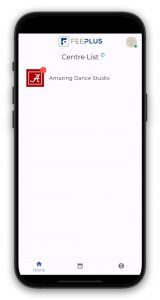
◦ Once linked, your center appears on the app’s home screen. Students and parents are now connected and ready to enjoy all the features.